Why Windows 11 Is Still the Best For Majority Users
While competition will certainly persist, and many like to predict a "Linux desktop revolution" or total switch to macOS, Windows remains the market leader when it comes to desktops. Being its flaws, though, there are many reasons why Windows 11 is best for most users.
Here's the why:
Familiarity and Accessibility
Windows has been the top OS for decades, which means most users are already familiar with its ecosystem. This familiarity reduces the learning curve, making it an easy choice for anyone upgrading or buying a new computer.
Also, since Windows is the most popular OS, it guarantees that:
- Widespread Availability: Windows devices are available in all price ranges and form factors.
- No Additional Setup: Devices come preloaded with Windows, ready to use out of the box.
Hardware diversity
One of the key strengths of Windows lies in the sheer variety of devices and designs it supports, making it a versatile choice for users with diverse needs and preferences.
Unlike macOS, which is tied to Apple’s relatively limited hardware lineup, Windows is compatible with an extensive ecosystem of devices from multiple manufacturers. This diversity gives users unparalleled flexibility.
Wide Range of Form Factors
Windows caters to virtually every form factor imaginable, ensuring there’s a device for every type of user:
- Tablets: Lightweight and portable devices, often with detachable keyboards, perfect for on-the-go productivity.
- Convertibles: Laptops with 360-degree hinges that double as tablets, offering both touch and traditional input options.
- Gaming Handhelds: Compact PCs with built-in gaming controls, such as the Asus ROG Ally, designed for portable gaming.
The Windows laptop ecosystem stands out for its incredible variety, offering options for nearly every kind of user, whether you prioritize performance, portability, or budget. This breadth ensures that Windows remains a go-to platform for all computing needs.
Premium Ultrabooks
Sleek and stylish, premium ultrabooks like the Dell XPS 13 are the epitome of modern design and cutting-edge technology. These devices focus on delivering a high-end user experience, often featuring:
- Thin and Light Build: These laptops are made to be ultra-portable without compromising on power.
- Innovative Features: Devices like the XPS 13 sport features such as invisible touchpads and edge-to-edge screens, maximizing screen real estate in a minimalistic form factor.
- Long Battery Life: Premium ultrabooks are often equipped with energy-efficient components, offering impressive battery life for all-day use.
These models are perfect for professionals, students, and frequent travelers who need powerful devices in an ultra-portable form.
Performance Powerhouses
For users who require more power—such as gamers, content creators, and professionals who work with demanding software—performance laptops like the Lenovo Legion Pro 7i deliver on all fronts:
- High-End Graphics: Equipped with powerful GPUs like NVIDIA RTX series or AMD Radeon, these laptops provide smooth gaming experiences and handle graphic-heavy applications seamlessly.
- Top-tier Processors: Armed with Intel Core i9 or AMD Ryzen 9 processors, these devices tackle intensive tasks such as video editing, 3D rendering, and software development with ease.
- Advanced Cooling Systems: Performance laptops incorporate advanced cooling technologies to prevent overheating during heavy use, ensuring optimal performance even during extended gaming or work sessions.
These laptops are ideal for gamers and professionals who need exceptional power and speed for demanding tasks.
Budget-Friendly Options
Not everyone needs a high-end machine, and for students, casual users, or those with simpler needs, there’s a wide array of affordable Windows laptops:
Acer Aspire 5
A reliable choice with decent performance for everyday tasks. It often features an Intel Core i3 or Ryzen 3 processor, making it suitable for students and light office work.
HP 15z
Known for its affordability and decent build quality, this laptop usually comes with AMD Ryzen processors and offers enough power for browsing, streaming, and basic productivity.
Dell Inspiron 15 3000
A durable and budget-friendly option, this model typically includes an Intel Core i3 or Ryzen 3 chip with a Full HD display for a smooth user experience.
Lenovo IdeaPad 3
Lightweight and affordable, it’s perfect for casual users who want a good balance between price and performance, featuring configurations with Intel or AMD processors.
ASUS VivoBook 15
Stylish yet cost-effective, the VivoBook series provides options with SSD storage and solid battery life, making it a good choice for on-the-go productivity.
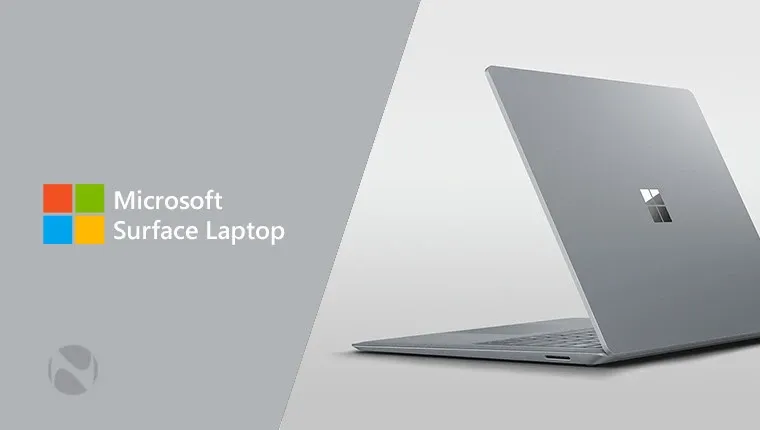
Microsoft Surface Go Laptop (Student Edition)
Compact, lightweight, and relatively affordable for a Surface device, it’s great for students needing basic performance and seamless integration with Windows apps.
These laptops provide excellent value for users who don’t require top-tier performance but still want a dependable and capable device.
Customizable Towers
For users who want to tailor their machines to their exact specifications, customizable desktop towers are a great choice:
- Upgradeable Components: These systems allow users to swap out components like CPUs, GPUs, RAM, and storage, enabling long-term use and the ability to upgrade as needed.
- Extreme Performance: With high-end processors, multi-GPU setups, and expansive storage, these towers are designed for heavy workloads such as 4K video editing, gaming, and scientific computing.
- Expandable Options: Customizable towers often have extra slots and ports for future upgrades, giving users more flexibility in how they configure and expand their system over time.
These machines are perfect for enthusiasts, gamers, and professionals who require the flexibility and power of a custom-built system.
Compact Mini PCs
For users with limited space but still in need of desktop-level power, mini PCs are the perfect solution:
- Small Footprint: These devices are much smaller than traditional desktops, often with a size comparable to a thick book or even smaller.
- Surprising Power: Despite their small size, mini PCs often come equipped with Intel Core i7 or AMD Ryzen processors, capable of handling office work, light gaming, and even some creative tasks.
- Energy Efficient: Mini PCs typically consume less power compared to larger desktop systems, making them a good choice for eco-conscious users.
These mini PCs are ideal for users who need a powerful system but are constrained by space or need something more portable than a full desktop tower.
All-in-One PCs
All-in-one PCs integrate the computer and display into a single unit, eliminating the need for separate monitors and reducing desk clutter:
- Space-Saving Design: These PCs are ideal for environments where desk space is at a premium, such as small offices or apartments.
- Clean Aesthetic: The minimalist design of all-in-ones often features ultra-thin bezels and seamless, modern aesthetics that look great in any workspace.
- Integrated Features: Many models come with built-in webcams, speakers, and other peripherals, providing a tidy, one-cable solution for the user. All-in-ones are well-suited for professionals, creatives, and home users who need a functional, aesthetically pleasing desktop setup.
- Specialized Devices: Windows Beyond the Mainstream
In addition to general-purpose desktops and laptops, Windows also caters to specialized needs, offering devices designed for specific tasks.
Workstations
For engineers, architects, and data scientists, workstation PCs offer the highest level of performance for specialized tasks:
-
High-End Hardware: Equipped with powerful CPUs, multiple GPUs, and large amounts of RAM, workstations are built for tasks like 3D rendering, scientific simulations, and data analysis.
-
Certified Components: Workstations often feature hardware certified for use with professional software like AutoCAD, SolidWorks, and Adobe Premiere Pro.
These devices are indispensable for professionals in industries where computational power and reliability are paramount.
Rugged Laptops and Tablets
For field workers and those who need devices capable of withstanding tough environments, rugged Windows laptops and tablets are a game-changer:
Durability: Built to resist drops, spills, dust, and extreme temperatures, these devices are ideal for construction sites, military, or outdoor expeditions.
Enhanced Battery Life: Rugged devices typically have extended battery life to support long hours of work in the field without needing frequent recharging.
These devices offer unparalleled reliability in environments where traditional laptops and tablets would fail.
Mixed Reality Devices
With the rise of virtual reality (VR) and augmented reality (AR), Windows supports a range of mixed reality devices for immersive experiences:
- VR/AR Headsets: Windows Mixed Reality headsets enable immersive gaming, training simulations, and design work.
- Creative Tools: Devices like the Microsoft HoloLens allow developers and designers to interact with digital models in real space, enhancing productivity and creativity.
These specialized devices open up new avenues for gaming, education, and design that simply wouldn’t be possible on other operating systems.